See the route in motion.
Codes, key locations & ending
A creator walkthrough listed on September 12. Contains puzzle answers and the ending. Compare its rooms with your current session.
Sources reviewed · Evidence policy
Before you start #
Read the checks and explanation +
Open the experience by paramodal using the official Roblox link. The objective is four keys and one code. Decide whether to watch the full run or keep the written hints closed until you need them. Developer source.
The notebook is a companion: it does not read your inventory or alter the game.
Your escape sequence #
- 01
Orient yourself
Show a gentle hint+
Pick a landmark you can recognize again.
Show the next check+
Write a short label for your first room and the exit you are checking. This is your own note, not an official room name. Related help.
- 02
Search deliberately
Show a gentle hint+
Give each branch a checked or unchecked state.
Show the next check+
Record rooms you inspect, not just corridors you pass through. Follow visible prompts and compare several landmarks with creator footage. Related help.
- 03
Record your keys
Show a gentle hint+
Wait for the game to confirm the pickup.
Show the next check+
Use four notebook slots for your collection order. They are not fixed locations. Reconcile your marks with the game before moving on. Related help.
- 04
Read the final clue
Show a gentle hint+
Use the clue from your own run first.
Show the next check+
Match the actual panel and clue. The code guide separates an older reported answer from a current-build guarantee. Related help.
- 05
Confirm the escape
Show a gentle hint+
Let the game confirm completion.
Show the next check+
Mark Exit after the final in-game result. A complete website checklist does not unlock a door or award a badge. Related help.
When rooms start looking the same #
Read the checks and explanation +
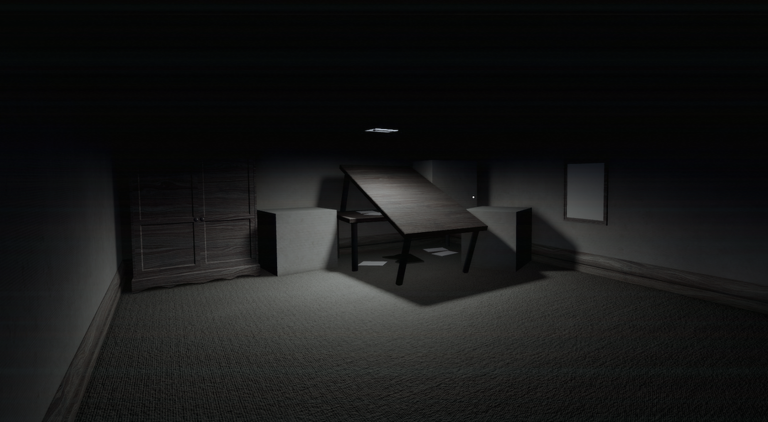
Name a landmark using several visible objects, such as “tilted table, cabinet, left doorway.” Record the exit you arrived through and the branches you have not checked. Compare that combination with the video rather than copying a left/right turn in isolation.
Entering a room is not the same as checking its interactions. Mark a key only after the game confirms the pickup.
The final interaction #
Read the checks and explanation +
Check the game’s objective progress and the clue from your own session. If the panel rejects the digits, use code troubleshooting. If it does not react at all, check its prompt and your input method first.
Mark Exit in the notebook only after the game confirms completion.
 View image ↗